Loading…
Free WordPress plugin
Translate any plugin, right on the page.
Click a text. Type the translation, or let a free service write it. Save. No .po files, no second site per language.
- Works with every plugin and theme
- Free machine translation built in
- Your translations stay on your site
Watch it work
One plugin, translated in ten seconds.
A shop plugin's "Add to cart" button becomes French. This is the whole job: open, click, type, save.
Showing 1–12 of 48 results
Canvas backpack
$48.00
Ceramic mug
$18.00
Linen tote
$26.00
FR
woocommerce
Add to cart
Translate into
French (fr_FR)
Translation
Ajouter au panier
Save
Saved in French
- 1Click "Locol Translate"In the toolbar, on any page of your site or in wp-admin.
- 2Click a marked textDashed outlines show every text that can be translated.
- 3Type or generateWrite the translation yourself, or start from a suggestion.
- 4SaveThe page now shows the language you picked.
70+ languages
Your language is in the list.
Right-to-left scripts such as Arabic and Hebrew flip the page for you.
EnglishEnglishEspañolSpanishFrançaisFrenchDeutschGermanPortuguêsPortuguese日本語Japanese简体中文ChineseالعربيةArabicРусскийRussianItalianoItalian
TürkçeTurkish한국어KoreanNederlandsDutchPolskiPolishहिन्दीHindiবাংলাBengaliBahasa IndonesiaIndonesianעבריתHebrewSvenskaSwedishTiếng ViệtVietnamese
- 70+
- languages, including right-to-left
- 5
- translation services, free ones first
- 0
- files to edit or upload
- Free
- no account, no subscription
Tried on real plugins from WordPress.org
 WPForms
 TablePress
 Redirection
 Simple History
 Duplicate Post
 Better Search Replace
 WooCommerce
 Yoast SEO
 Elementor
Icons are from each plugin's WordPress.org page and belong to their owners. Locol Translate is not affiliated with them.
Any plugin, its own page
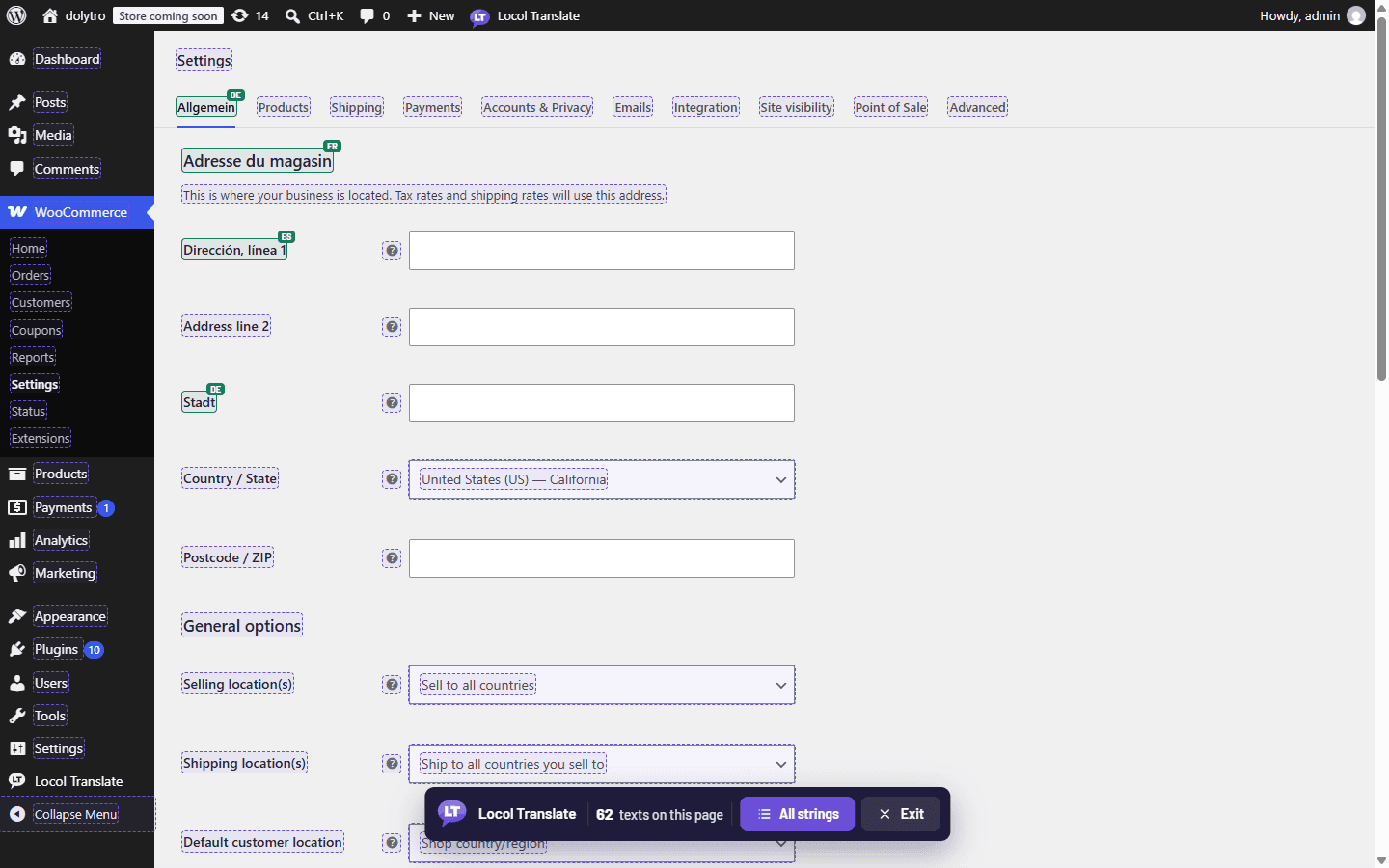
Open any page. Translate it right there.
Open a screen in wp-admin or on your site, turn on Locol Translate, and click any text on it. It works the same on every plugin.
- Inline translation on any screen
- Works in wp-admin and on the front end
- Changes show on the page at once
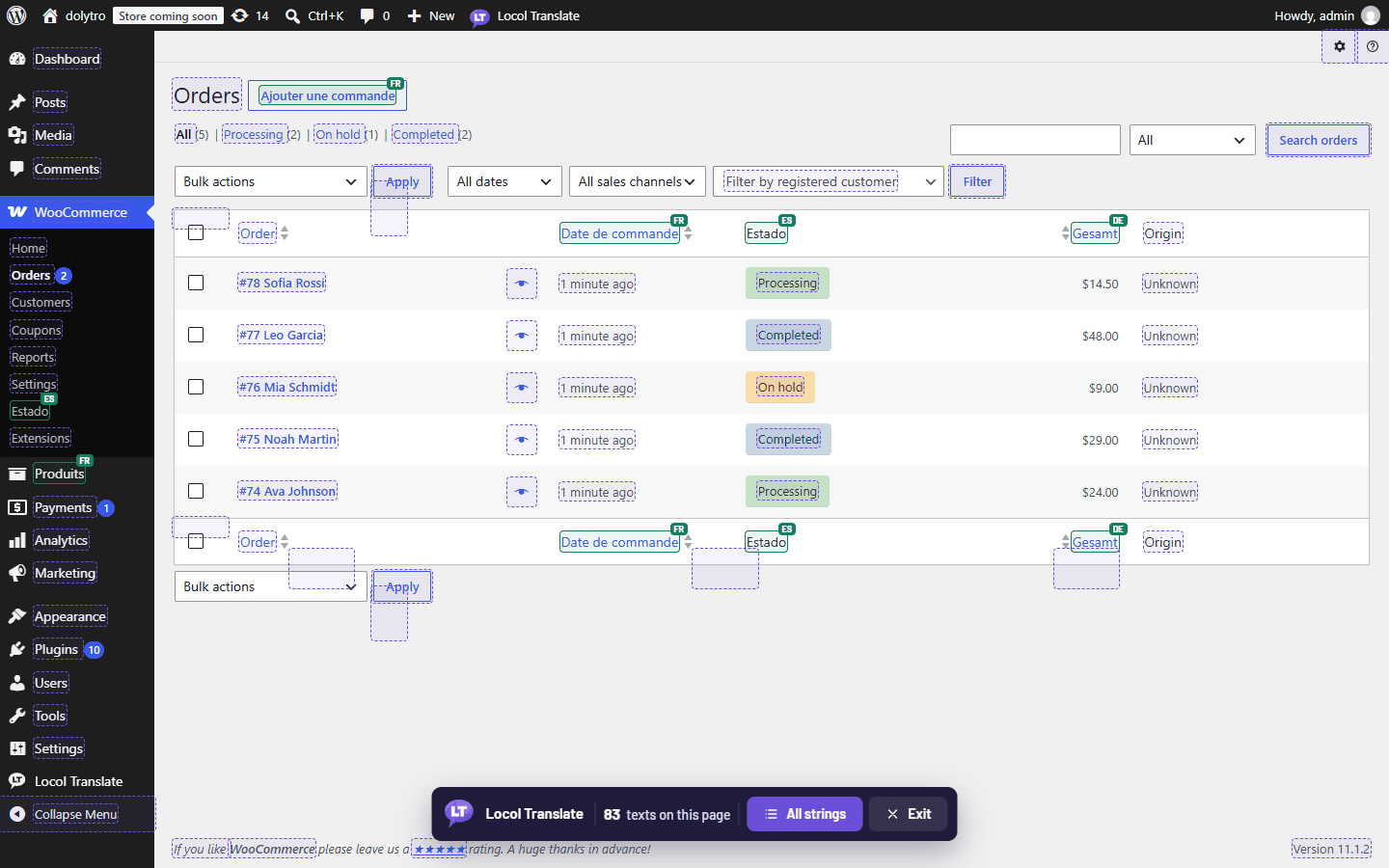
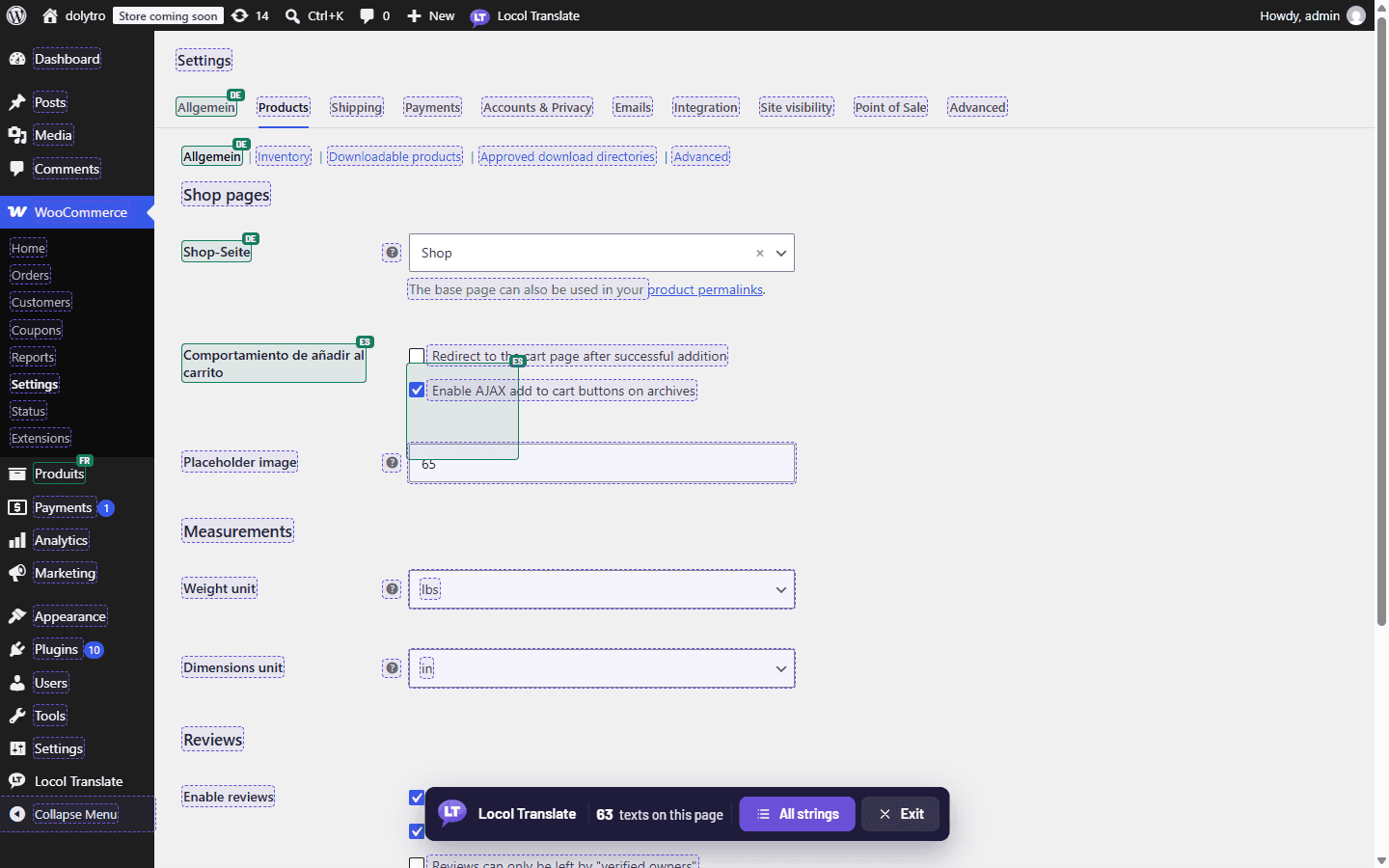
AaDashed: translatableAaGreen: translatedScreens from WooCommerce, not affiliated
How it works
From install to translated in four steps.
The example uses an online shop. The same steps work for any plugin or theme that uses WordPress translations.
1
Install and activate
Upload the plugin and activate it. A "Locol Translate" item appears in the WordPress toolbar, in the admin and on your site.
Plugin activated. Click "Locol Translate" in the toolbar to begin.
2
Click it on any page
Every text the page can translate gets a dashed outline. Green ones are already translated, with a small language tag.
Your cart is currently empty.
Return to shop
注文手続きへ
3
Click a text, pick a language
Type the translation, or press Generate and a free service writes a draft. Drafts stay "needs review" until you approve them.
woocommerceNeeds review
Your cart is currently empty.
Spanish (es_ES)
Tu carrito está actualmente vacío.
4
Saved. Live. Reversible.
The text changes on the page at once and stays after you leave. Every change keeps the earlier text, so a mistake is one click from undone.
Tu carrito está actualmente vacío.
Earlier text: (none)Restore
What nobody else does
One page. Every text in its own language.
Most tools switch a whole site from one language to another. Locol Translate lets each text keep the language you gave it, so one page can mix Spanish, German, Japanese and Arabic while you work, or while your customers read.
- Translate one button today, the rest of the page tomorrow
- A small tag shows which language each text is in
- Visitors can also pick one language for the whole site
yourstore.com/cart
Totales del carrito
Zwischensumme$66.00
配送無料
Also in wp-admin
Find, review and measure, without opening a file.
Everything you translate on the page lands in one tidy place, with progress for every plugin and language.
Translations
| Original text | Translation | Status |
|---|---|---|
| Add to cart | Ajouter au panier | Approved |
| Sale! | Angebot! | Approved |
| Your cart is currently empty. | Tu carrito está vacío. | Needs review |
| Proceed to checkout | 注文手続きへ | Approved |
Search, filter by plugin, language or status, and approve in bulk.
Overview
WooCommerceSpanish · 412 of 1,466
Your themeFrench · 61 of 94
WPFormsGerman · 12 of 480
Scan pluginTranslate missing
The scanner reads a plugin's code to count every text it can translate, so you always know how far you are.
Why Locol Translate
Built for the text inside plugins and themes.
Other tools are great at turning a whole website into a multilingual one. Locol Translate does one job, fast: change the words your plugins and theme show, where you see them.
| Feature | Locol Translate | Loco Translate | WPML | TranslatePress |
|---|---|---|---|---|
| Click a text on the page to translate it | Yes | No, edit in a file editor | Mostly in a separate editor | Yes |
| Each text keeps its own language on one page | Yes | No | No | No |
| No .po or .mo files to edit, upload or update | Yes | No, file based | Yes | Yes |
| Free machine translation, no key needed | Yes, with review status | Needs a key | Paid credits | Needs a key |
| Placeholder checks (%s, %d) before saving | Yes | Partly | Partly | No |
| Translates posts, pages and menus | No, by design | No | Yes | Yes |
| Price | Free | Free and Pro | Yearly plans | Free and Premium |
Choose Locol Translate if
you want to fix or localise the words of plugins and themes, quickly, without touching files.
Choose a multilingual suite if
you need your own posts, pages and menus in several languages, with a language switcher and translated URLs.
Comparison from each product's public information. Plans and features change, so check their sites before you decide.
Features
Careful where it counts.
Placeholders are protected
A translation with an extra %s or %d would break your site, so it is refused. A missing one is saved with a warning.
"%d items, %s" has one placeholder more than the original.
Free machine translation
Google, DeepL, Microsoft and MyMemory. Add your own keys for the paid ones. Nothing is sent until you agree.
History with restore
Every change keeps the text before it. Undo a mistake in one click, even a deleted translation.
Ajouter au panierCurrent
Ajoutez au panier · yesterdayRestore
Import and export
CSV, JSON, PO and MO. Move translations between sites or hand them to a translator.
Site A → file → Site B
Scanner and progress
See how much of each plugin is translated, per language, and translate the missing texts a few at a time.
WooCommerceSpanish · 28%
Your themeFrench · 65%
Roles and permissions
Administrators always. Let editors translate too, while keys, imports and settings stay with admins.
AdministratorTranslate · keys · settings
EditorTranslate
70+ languages, right to left
Arabic, Hebrew, Persian and Urdu pages turn right to left on their own.
LTR
Add to cart
RTL
أضف إلى السلة
Works from the keyboard
Tab to a text, Enter to open it, Escape to close. Dialogs and lists are labelled for screen readers.
TabmoveEnteropenEscclose
Private by default
Translations live in your database. Only the one text you choose to generate is ever sent out, and only after you say yes.
Your database→1 text, after you agree→Service
Documentation
Browse all docsEverything, written down.
Quick start
Install, activate and translate your first text in five minutes.
Translate any plugin page
Open a plugin's own screen, in the admin or on your site, and translate it there.
Machine translation
Free services, your own keys, and how drafts are reviewed.
Import and export
CSV, JSON, PO and MO, and moving translations between sites.
Roles and permissions
Who can translate, who can change settings.
Troubleshooting
A text is not marked, or a translation does not show. Start here.
FAQ
Questions, answered.
Does it work with my plugin?
With any plugin or theme whose texts go through WordPress translation functions, which is nearly all of them. Text typed straight into a template, or stored in the database, is not covered.
Does it change .po or .mo files?
No. Translations are saved in your own database and applied as the page is built, so there is no file to edit, upload or update.
Will my translations survive plugin updates?
Yes. They live in your database, not in the plugin's folder, so updating a plugin or theme does not overwrite them.
Can I use it with Loco Translate?
They do different jobs, so they can sit side by side. Locol Translate changes the words you see on a page, one text at a time. Loco Translate edits language files.
Does it work with a page cache?
Saved translations show for visitors once the cache is cleared. If a translation does not show, clear your page cache and CDN first.
Contact
Questions, ideas, a plugin we should try?
Write to us. We read everything, and we answer.
[email protected]Translate your first text in five minutes.
Free. No account. Install it, click the toolbar item, click a text.